Running marketing tools for many clients takes a clear system. Keep client data separate and your work organized. Many digital agencies and growing businesses pick platforms that grow with their workload. Learn how the platform is built before you launch campaigns. A poor setup at the start makes permission hard to manage, and billing problems show up fast.
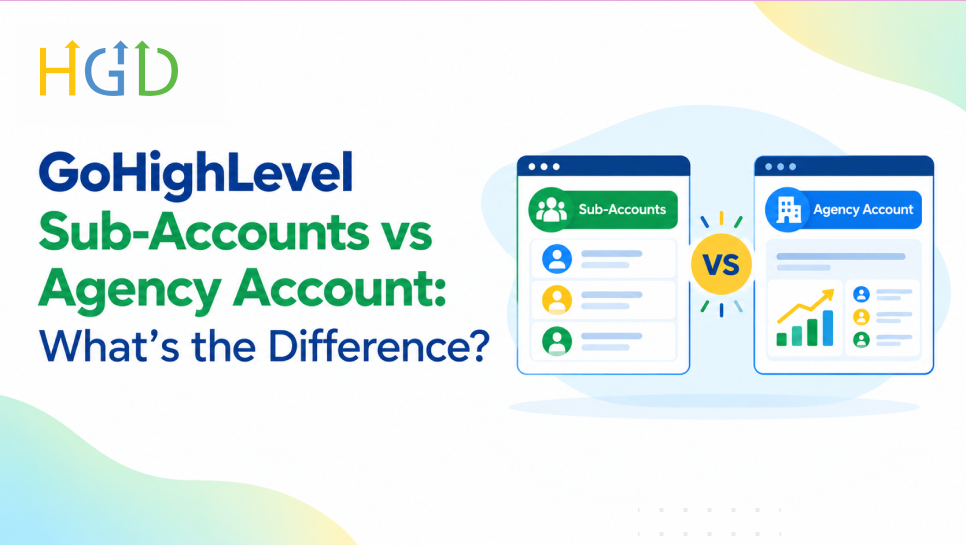
The platform comes with two tiers of account. The main control center up top, individual workspaces underneath. Knowing how each level works helps to run automation, manage client logins, and correctly use a gohighlevel account setup service. This guide explains the differences between the levels, what each level offers, and how to use them. This helps you build a strong foundation for your business.
What Is a GoHighLevel Agency Account?
The gohighlevel agency account is the top tier administrative dashboard. It is the command center where agency owners oversee everything happening across their entire business.
From this level, you manage company-wide settings, user permissions, and global branding. You control who on your internal team has access to specific tools. White-label settings also live here. You upload your agency logo, configure custom login domains, and set terms of service that your clients see.
You can manage all your sub-accounts from this central hub. You don’t need to log into each workspace one by one, because the master dashboard lets you create new accounts. You push out updates and deploy snapshots from here too.
Billing and SaaS capabilities are also handled at the agency level. If you operate a software-as-a-service model, you configure your subscription tiers from this dashboard. You also add payment gateways and rebilling rules here. That keeps recurring invoices going on time, and client accounts update on their own when a payment status changes.
What Is a GoHighLevel Sub-Account?
A GoHighLevel sub-account is a separate workspace created inside the agency environment. Agencies typically use one sub-account for each individual client or a distinct brand.
Each sub-account operates as its own self-contained environment. When you log into a sub-account, you see only the contacts associated with that specific business. You also see specific pipelines, calendars, and workflows.
The feature set inside a sub-account includes a full CRM, website builders, and funnel creators. It also includes email marketing tools and SMS automation. Users can book appointments, follow new leads, and talk with prospects back and forth without leaving the workspace.
Sub-accounts remain strictly separate from one another. Data does not bleed across boundaries. A contact list in client workspace A is completely invisible to client workspace B. This isolation prevents accidental data sharing and keeps every client secure. For agencies building a scalable sub account solution for agencies, this separation is what makes multi-client management possible.
GoHighLevel Sub-Accounts vs Agency Account: Key Differences
Comparing the two account types requires looking at how authority and data flow through the platform.
- Purpose and role: The agency account manages the entire platform and all downstream workspaces. A sub-account runs the day-to-day operations of a single business.
- Permissions and access: Global access and control over the entire system are provided to agency administrators. Sub-account users only see the modules and data they have access to.
- Contacts and CRM data: Administrative records are kept at the agency level. Each sub-account has its own customer lists, leads, and sales pipelines.
- Workflows and automation: Agency-level master automation templates and global snapshots. Each sub-account has its own active customer facing campaigns.
- Agency users and Teams: Agency users can change between various client locations. Standard sub-accounts are limited to their assigned workspace.
- Billing and subscriptions: Agency-level billing and subscription fees and SaaS rebilling rules are managed at the agency level. Client invoices are processed through sub-accounts.
- Settings and account management: Global company details, custom domains, and security protocols are set up at the top level. You define business profiles and operating hours in sub-accounts.
- Client management: The agency view gives an overview of what the status of all clients is. The sub-account view has operational tools to service those clients.
- SaaS and reselling capabilities: The GHL agency account has the configuration needed to bundle and resell the software. The end products delivered to users are sub-accounts.
How Agency Accounts and Sub-Accounts Work Together
The agency account acts as the central management layer for your entire operation. You use it to build standard snapshots. GoHighLevel snapshots contain pre-built funnels, email sequences, and custom pipelines.
When you bring a new client, you create a sub-account from your agency dashboard. Then you load a snapshot into it, which fills the new workspace right away.
You use the platform switcher to move between the master agency view and each sub-account view. Data and settings stay apart because the database keeps each account separate.
For example, an agency working with ten local contractors will have ten different sub-accounts under one gohighlevel agency account. Each contractor has their own dashboard that they log into to see their leads. They answer messages by themselves. Meanwhile, the master view allows the agency owner to see performance across all ten locations.
What Can You Do From a GoHighLevel Agency Account?
The upper management layer provides tools designed for control and scale.
- Create and manage sub-accounts for internal brands or external clients.
- Configure agency settings such as company information, time zones, and global security policies.
- Control access and permissions by assigning roles to internal staff members.
- Manage billing, subscriptions, and payment integrations.
- Use SaaS mode and reselling options to package software products under your own brand.
- Monitor and manage multiple client accounts from a single dashboard.
What Can You Do Inside a GoHighLevel Sub-Account?
The workspace layer provides the tools required to execute marketing and sales tasks.
- Manage CRM and contacts, organizing leads into custom lists and tags.
- Build funnels and websites using drag-and-drop page builders.
- Create workflows to automate emails, text messages, and internal task assignments.
- Manage calendars and appointments for booking client meetings and consultations.
- Set up forms, surveys, and pipelines to capture visitor data and track sales stages.
- Manage conversations and reputation by handling text messages, emails, and review requests.
- Connect third-party integrations via webhooks and API key
Which GoHighLevel Account Should You Use?
Choosing the correct account structure depends entirely on your business model.
An agency account makes sense if you manage marketing operations for multiple clients. It also makes sense if you run a digital marketing agency or want to build a software resale business. You need the master dashboard to maintain oversight, white-label the software, and automate client onboarding.
Working inside a sub-account makes sense if you are an individual business owner running a single company. It also works well for a team member operating within an assigned client workspace. Businesses managing their own internal operations only need a sub-account environment rather than an agency-level plan.
Agencies managing multiple clients require both layers. The agency account coordinates the infrastructure. The sub-accounts provide the separate environments required for each client project. With white label sub accounts for agencies, businesses can give every customer a consistent, professional brand experience.

Can You Have Multiple Sub-Accounts in GoHighLevel?
Managing multiple sub-accounts is standard practice on the platform. Agencies organize these workspaces by client name, geographic location, or distinct brand property.
There are real operational benefits to splitting businesses. No client data gets mixed up. Access is limited to authorized personnel. Billing remains simple.
You control users and permissions within those accounts by assigning staff to particular sub-accounts. And you do this without giving them master agency access. A common use case might be a digital marketing agency working with thirty different local service businesses. This is also the approach for franchises with individual stores. Companies also separate different product lines into different workspaces.
The Conclusion
Knowing how GoHighLevel sub-accounts differ from agency accounts will help you set up your marketing infrastructure correctly from day one. The agency account gives you the administrative control, billing setup and multi-client management you need to grow an agency, while sub-accounts give you the isolated workspaces you need to run your day-to-day campaigns. Using both layers properly helps you stay organized, keep your client data safe and be ready to grow your business. Get a professional GHL agency account setup for your business, contact our agency today. Let our experts handle your GoHighLevel setup so your team can focus on making money.
Frequntly Asked Questions
Is a GoHighLevel sub-account the same as an agency account?
No, they are for two totally different things. The agency account is the master dashboard that manages the entire platform on the top level. A sub-account is a separate workspace that you can create in the agency account for a specific business or client.
Can one agency account have multiple sub-accounts?
Yes, you are able to create and manage multiple sub-accounts on a single agency account. The architecture allows agencies to grow their client base without cross-pollinating data between businesses.
Can clients access only their own sub-account?
Yes, you can also set user permission to allow clients to login to their own sub-account. They can’t view the master agency dashboard or other client workspaces.
Is billing handled at the agency or sub-account level?
Platform subscription fees and SaaS rebilling rules are handled at the agency level. Sub-accounts maintain client-specific invoices and transaction histories.
Can you move a sub-account between agencies?
When eligibility requirements are met, standard client sub-accounts can be moved between different GoHighLevel agency accounts along with their internal data, funnels and workflows.
Do sub-accounts have their own CRM and workflows?
Yes, each sub-account is a fully self-contained environment. Each workspace has its own CRM database, sales pipelines, calendars, and automation workflows.
About the Author