Dental practices have plenty of patient data, but that does not always mean the data is easy to use.
Your practice management system handles patient records, appointments, treatment, billing, and daily operations. Your CRM handles things like follow-ups, communication, and automation. When these systems work separately, your team may have to enter information manually, switch between platforms, or remember to follow up with patients.
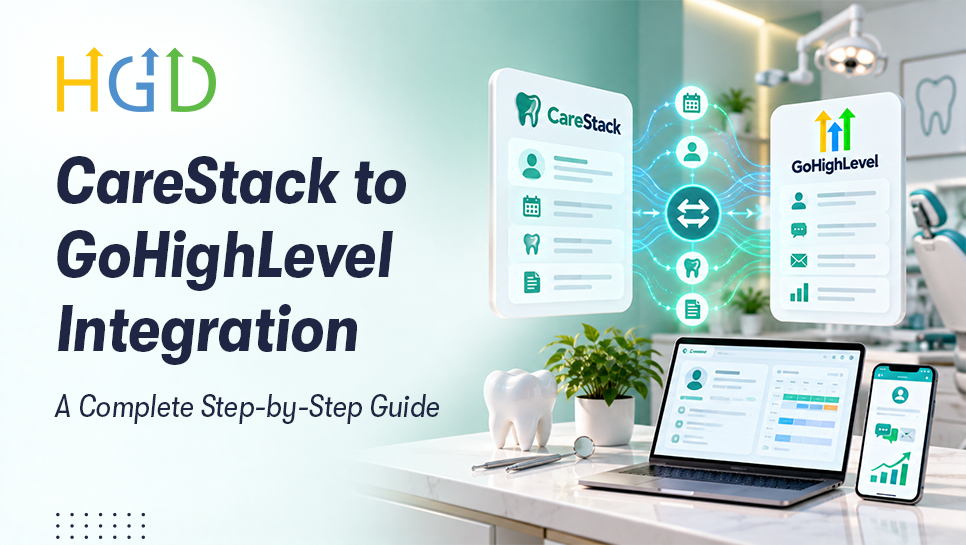
A CareStack to GoHighLevel integration can help connect these workflows.
CareStack provides APIs for patient and practice data, patient messages, treatment details, and other information. It also supports REST APIs, webhooks, and scheduled data exports. GoHighLevel also has APIs and webhooks that can connect with other apps and automate tasks.
The setup depends on what data you need, what access you have in CareStack, and what you want the workflow to do. With the right setup, both platforms can work together without adding another separate process.
Why Dental Practices Need CareStack and GoHighLevel Working Together
CareStack and GoHighLevel serve different purposes. The goal is not to replace one platform with the other. Instead, a dental practice of CRM integration can connect the information from CareStack with GoHighLevel’s tools for communication and follow-up.
What CareStack Handles
CareStack can act as the operational system for your dental practice, covering areas such as:
- Patient management
- Scheduling and appointments
- Treatment planning
- Billing and practice operations
Its developer platform also provides APIs for patient information, communication, treatment codes, and other practice-related resources.
What GoHighLevel Adds
GoHighLevel can complement that data with:
- CRM and contact management
- Email and SMS automation
- Lead nurturing
- Follow-up campaigns
- Workflow automation
- Appointment-related communication
HighLevel workflows are built around triggers and actions. For example, an event such as an appointment or form submission can trigger a sequence of automated actions.
When you integrate CareStack with GoHighLevel, the idea is simple: use each platform for the job it handles best and connect the relevant information between them.
Key Benefits of Integrating CareStack with GoHighLevel
1. Automate Patient Communication
Manual follow-up can become difficult as dental practice grows.
With the right integration, relevant patient or contact information can be passed into GoHighLevel and used to trigger communication workflows.
This helps you automate dental patient communication with GoHighLevel without asking your staff to manually manage every message.
2. More Flexible Appointment Follow-Up
Appointments create several communication points.
Patients may need confirmation before an appointment, reminders closer to the appointment time, or follow-up communication afterward. Cancellations and missed appointments may require another message or a rescheduling prompt.
If the required appointment information is available to the integration, GoHighLevel can use it as part of workflow logic.
This can support CareStack GoHighLevel appointment reminders, confirmation messages, rescheduling communication, and post-appointment follow-ups.
The exact triggers and timing depend on how the integration is built and which appointment data is available.
3. More Consistent Patient Follow-Up
A good follow-up process should not depend entirely on someone remembering to send the next message.
With patient follow-up automation for dental practices, you can create consistent communication sequences for different situations.
For example:
- New patient → Welcome communication
- Appointment booked → Confirmation and reminder
- Appointment completed → Follow-up communication
- Appointment cancelled → Rescheduling message
- Inactive patient → Re-engagement campaign
The goal is not to automate every patient interaction. It is to automate the repeatable parts, so your team has more time for work that requires human attention.
4. Connect Relevant Patient Data with Your CRM
Not every piece of information in CareStack needs to be copied into GoHighLevel.
A better approach is to identify the information required for the CRM and automation of workflows and map only that data.
A basic mapping could look like this:
| CareStack Data | GoHighLevel |
|---|---|
| Patient/contact name | Contact name |
| Phone | Phone |
| Relevant patient information | Custom field |
| Appointment information | Custom field/workflow logic |
The exact fields will depend on integration.
Accurate mapping matters because incorrect or unnecessary data can create duplicate records, broken workflows, and confuse CRM information.

Pre-Integration Checklist
Before starting the integration, define what you actually want the connection to accomplish.
A good CareStack API integration plan should cover:
- What data needs to be synchronized
- What CareStack API or integration access is available
- Which GoHighLevel sub-account will be used
- Required custom fields and tags
- Automation goals
- Contact matching and duplicate rules
- Data security and access requirements
This step may seem basic, but it prevents a common integration problem: building the connection first and deciding what it should do later.
How to Integrate CareStack with GoHighLevel
Step 1: Define the Integration Goals
Start with the business process, not the technology.
Do you want to sync contacts? Trigger appointment reminders? Automate patient follow-ups? Re-engage inactive contacts? Build a two-way connection?
Write down the specific outcomes first.
Then identify the exact data required for each workflow. This keeps the integration focused and avoids transferring information simply because it is available.
Step 2: Confirm CareStack Integration or API Access
The next step is to confirm what CareStack can provide for your specific implementation.
CareStack's developer platform currently documents REST APIs, webhooks, and scheduled data extracts. Its APIs cover areas including patient information, communication, treatment codes, and practice resources.
However, the availability of these APIs does not automatically confirm access for every implementation. We need to verify with CareStack which APIs, permissions, endpoints, and data scopes can be pre-approved and made available for this specific integration.
This confirmation will determine what the integration can access, what actions it can perform, and whether any additional approval or access requirements need to be completed before development begins.
Step 3: Prepare Your GoHighLevel CRM
Before sending data into GoHighLevel, prepare the CRM structure.
Depending on your requirements, this can include:
- Setting up the GoHighLevel sub-account
- Creating custom fields
- Configuring tags
- Creating pipelines
- Preparing workflow triggers and actions
HighLevel's API supports areas such as contacts, messaging, calendars, workflows, payments, and webhooks. Its workflow webhook action can also send contact and event-related information to external applications.
A clean CRM structure makes the later mapping and automation work much easier.
Step 4: Map CareStack Data to GoHighLevel
Now connect the fields from one system to the correct fields in the other.
For example:
| CareStack | GoHighLevel |
|---|---|
| Patient name | Contact name |
| Phone | Phone |
| Relevant patient information | Custom field |
| Appointment information | Custom field or workflow logic |
The mapping should be documented before the integration goes live.
Avoid transferring unnecessary patient information. Only move the data required for the intended CRM or automation purpose.
Step 5: Configure Contact Synchronization
Next, determine how contacts will be created and updated.
You need clear rules for:
- New contacts
- Existing contacts
- Contact matching
- Duplicate prevention
- Updates to existing records
Without these rules, the same patient could potentially appear as multiple contacts in GoHighLevel.
A proper CareStack contact sync with GoHighLevel should therefore focus on maintaining clean records, not simply moving as much data as possible.
Step 6: Configure Appointment Data and Workflow Logic
If appointment automation is one of your goals, identify which appointment information GoHighLevel needs.
Then define what should happen when specific events occur.
For example:
- Appointment booked → Confirmation
- Upcoming appointment → Reminder
- Appointment completed → Follow-up
- Appointment cancelled → Rescheduling communication
HighLevel workflows use triggers to start automation and actions to perform the next steps. Its webhook capabilities can also support custom integrations where information needs to be moved between systems.
Step 7: Create GoHighLevel Automation Workflows
Once the data is flowing correctly, build the workflows around your actual patient communication process.
Some useful examples include:
New patient: Welcome message → Initial follow-up → Nurturing
Appointment: Confirmation → Reminder → Appointment-related follow-up
Completed appointment: Follow-up → Next-step reminder
Missed or cancelled appointment: Rescheduling communication
Inactive patient: Re-engagement campaign
The workflows should be specific enough to be useful without creating unnecessary communication.
Step 8: Test the Integration
Do not send the integration straight into production and hope everything works.
Test different scenarios, including:
- New contacts
- Existing contacts
- Duplicate handling
- Field mapping
- Appointment information
- Workflow triggers
- Failed requests
- Communication delivery
Check what happens when information is missing, or an API request fails as well.
Testing is especially important when multiple workflows depend on the same contact or appointment data.
How to Automate Dental Patient Communication with GoHighLevel
Once the systems are connected, the real value comes from the workflows built on top of the integration.
New Patient Follow-Up
A new patient can enter a structured communication sequence that includes a welcome message, initial follow-up, and additional nurturing where appropriate.
Appointment Communication
Appointment-related workflows can support confirmations, reminders, and rescheduling prompts.
Post-Appointment Follow-Up
After an appointment, workflows can support follow-up communication, next-step reminders, or review requests where appropriate.
Patient Re-Engagement
Inactive contacts can be placed into targeted re-engagement campaigns based on the information available in your CRM.
The important part is to make these workflows useful rather than simply automated. Good automation should make communication more consistent; not make it feel less personal.
Common Challenges with CareStack and GoHighLevel Integration
Data Mapping
Different platforms use different data structures. Incorrect mappings, missing fields, or inconsistent values can cause workflows to behave unexpectedly.
Duplicate Contacts
If the integration does not have clear matching rules, existing patients may be created again instead of being updated.
API Permissions
API access and authentication requirements need to be confirmed before development begins. CareStack's developer platform has its own API access and registration requirements, so the implementation needs to account for the available access level.
Sync Timing
Not every integration needs real-time synchronization. Some processes may work with scheduled transfers, while others may require event-based updates. The right approach depends on the workflow and integration architecture.
Workflow Errors
Incorrect triggers, invalid field values, failed API requests, or communication errors can break an otherwise well-designed automation.
Data Security
Dental patient information requires careful handling.Only transfer the information that is necessary, apply appropriate access controls, and review the privacy and security requirements that apply to your practice and implementation.
Best Practices for Long-Term Success
Getting the integration live is only the beginning.
- Document your data mapping. Keep a clear record of how CareStack fields connect to GoHighLevel fields.
- Monitor sync errors. Regularly check for failed or incomplete transfers.
- Audit workflows. Make sure reminders and follow-ups are still triggering as expected.
- Limit unnecessary data transfers. Keeping only the information required for the intended CRM and workflow. Alongside a HIPPA compliant slug.
- Train your staff. Everyone should understand which platform is responsible for which process.
These small steps can make a significant difference as your workflows become more complex.
When Should You Hire a GoHighLevel Integration Expert?
Consider expert help when you need:
- Custom API integration
- Complex field mapping
- Contact synchronization
- Appointment workflows
- Two-way synchronization
- Custom webhooks
- Advanced GoHighLevel automation
- Integration troubleshooting
This is where an experienced developer can help connect the technical side of the integration with the actual business workflow.
Conclusion
A CareStack to GoHighLevel integration is not simply about moving patient data from one platform to another.
The goal is to create a cleaner flow between practice management, CRM data, and patient communication.
CareStack can focus on dental practice tasks, while GoHighLevel handles CRM and automation. With proper data mapping, contact syncing, appointment workflows, and follow-ups, dental practices can reduce manual work and keep their communication more consistent.
The exact integration approach will always depend on the available CareStack/API capabilities and the requirements of your practice.
Need to connect CareStack with GoHighLevel? Our GoHighLevel developers can help you plan the integration, connect the required data, build the workflows, and test the setup before launch. Reach out to us today.
Frequently Asked Question
Can CareStack Be Integrated with GoHighLevel?
CareStack provides APIs, webhooks, and data-extract options that can support custom integrations. GoHighLevel also provides APIs and webhook capabilities. However, the exact CareStack-to-GoHighLevel implementation depends on the available access, required data, and integration architecture.
Can I Sync CareStack Patient Data to GoHighLevel?
Relevant patient or contact data can be integrated when the required data is available through the selected integration method. The exact fields that can be synchronized depend on the implementation.
Can CareStack and GoHighLevel Have Two-Way Synchronization?
Two-way synchronization depends on the API capabilities, permissions, events, and configuration on both sides. It should be confirmed during the technical planning stage rather than assumed.
Can I Migrate Historical Patient Data?
Historical migration may be possible depending on the data structure and the migration approach.
Is CareStack and GoHighLevel Integration HIPAA Compliant?
There is no simple yes-or-no answer.CareStack states that it operates as a HIPAA Business Associate and maintains controls for protecting PHI. HighLevel currently offers a separate HIPAA Compliance package with features including encryption of ePHI, BAAs, audit logging, and MFA enforcement. HighLevel also states that the practice, agency, and platform each have responsibilities within the HIPAA relationship. Therefore, compliance depends on the services being used, configuration, data handling, contracts or BAAs where applicable, and the practice's own compliance responsibilities. The integration should be reviewed with those requirements in mind before handling PHI.
About the Author